RODE RODECASTER VIDEO ALL-IN-ONE PRODUCTION CONSOLE
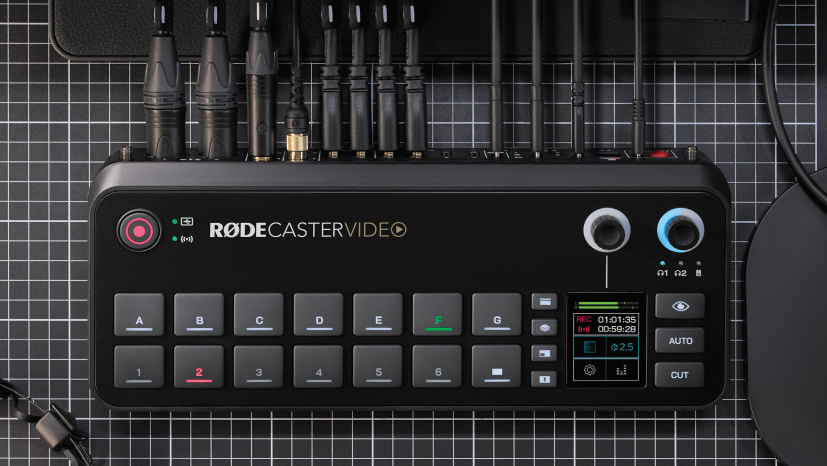
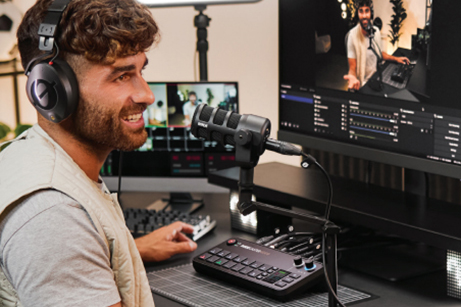
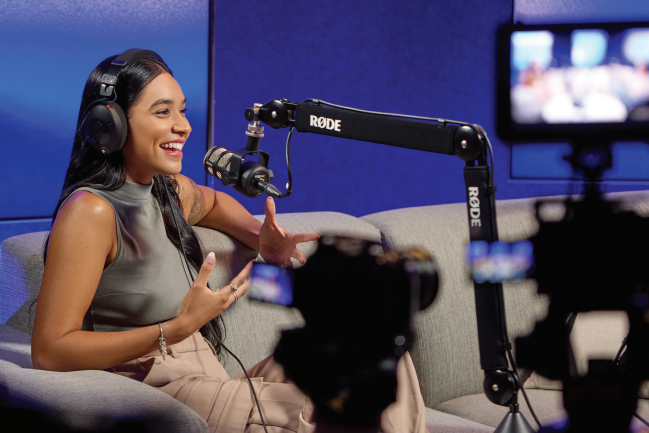
Designed to excel in a wide variety of production applications—including social media, streaming, podcasting, and live events—the RODECaster Video combines advanced HD video switching technology with the studio-grade audio control familiar from previous RODECaster models.
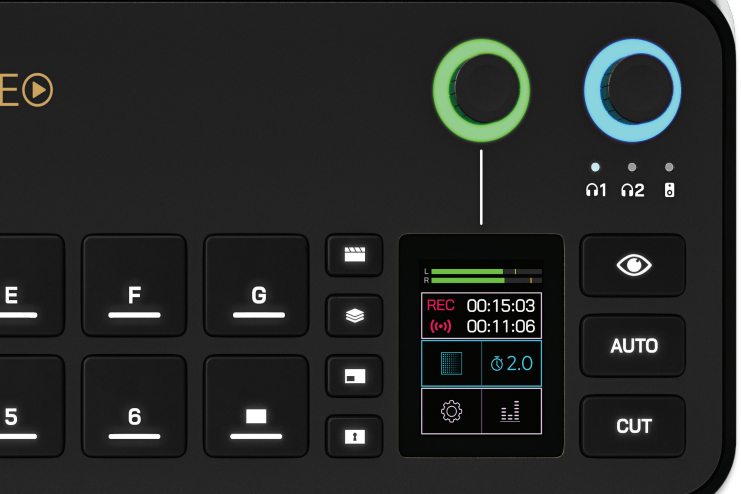
The console offers intuitive control over both video and audio sources with its onboard controls, 2″ touchscreen display, and rotary encoder. A variety of connectivity options, including HDMI and USB-C ports, accommodate UVC video sources as well as both analog and digital audio sources. Up to 20 possible audio sources, or nine stereo channels, can be connected to the RODECaster Video using both wired and wireless connections. Add the RODECaster Video to your preexisting RODE audio ecosystem using the USB-C audio ports or RODE Central software for advanced device configuration.
Video Interface
The RODECaster Video features nine mix-effect layers that can simultaneously display in both preview and program views. Two downstream keyers toggle overlays and logo, two chroma-keyers toggle different backgrounds, and two media players can play simultaneous MP4 video, PNG/JPG photos, or WAV audio from an inserted microSD card.
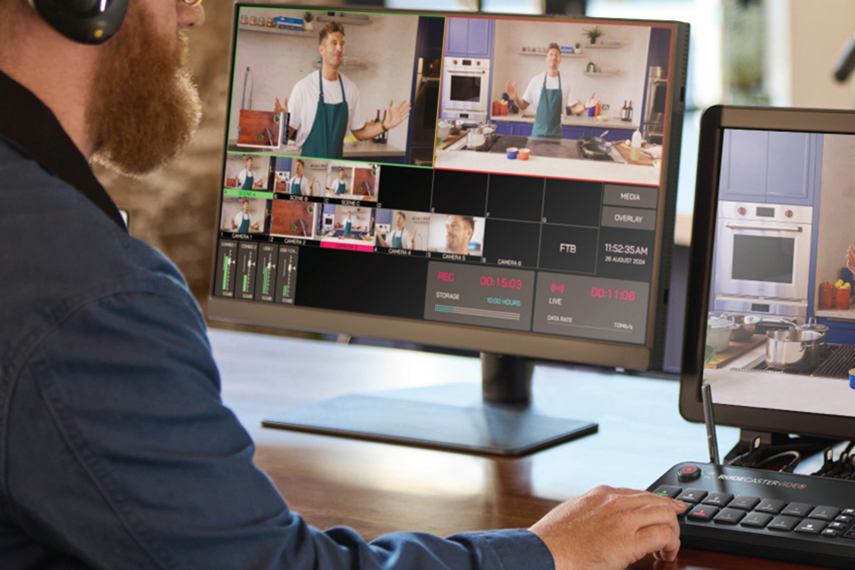
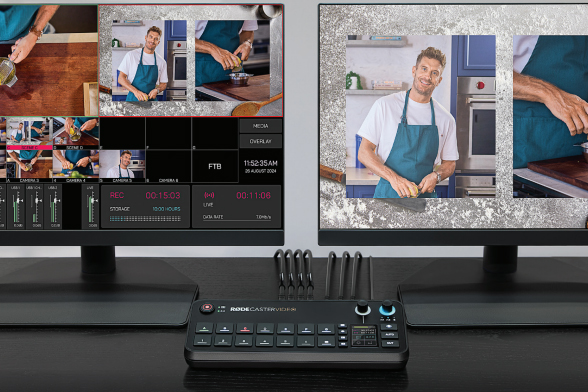
Multiview allows you to visualize:
Program and preview feeds
All live inputs with scene and media thumbnails
Audio mixer and channel status
Recording, network, and storage status
Runtime, date, and time information
Non-destructive setup means the process can be done live or configured as a saved scene without interrupting your production.
Switch between six 1080p60 video sources—four HDMI and two USB-C—and create up to seven complex scenes with multiple layers of video, media, and graphics. Save these scenes and recall them with the touch of a button.
Configure the two HDMI outputs to connect displays and view preview, program, and multiview feeds. Use the program feed to see what is being streamed/recorded and the preview feed to view inputs, scenes, graphics, or media sources before they go live.
Audio Sources
Two studio-grade combo XLR-1/4″ jacks equipped with low-noise, high-gain Revolution Preamps ensure pristine audio capture from XLR microphones and instruments.
Digital USB-C ports allow connection of RODE USB microphones, the RODECaster Pro II, or Duo Audio Production Studios.
Other USB-C ports support 2-in/2-out multichannel outputs, mix-minus, and MFi protocols.
Internal wireless receivers connect RODE Series IV wireless microphones (e.g., Wireless GO II, Wireless PRO).
Aphex VoxLab audio processing equips the RODECaster Video with:
Aural Exciter, Big Bottom, and Compellor effects per channel
Integrated preamps provide up to 75 dB input gain and -131.5 dBV equivalent input noise.
Mix and process audio onboard using the touchscreen and rotary encoder or the software mixer in RODE Central.
RODE Ecosystem Connectivity
The USB 4 and 5 ports on the RODECaster support select RODE USB microphones including:
PodMic USB
NT-USB+
NT-USB Mini
VideoMic NTG
VideoMic GO II
XCM-50
XCM-10
Intuitive Controls
The RODECaster Video prioritizes scene-based switching with an intuitive control layout, giving users quicker access to tools without needing to navigate complex settings.
Features include:
Automatic chroma keying: Easily replace backgrounds with media or live video inputs. Apply transparency to use input in scenes or backgrounds. Choose between blue and green screen with advanced controls.
Seven media buttons: Load video clips, images, and sounds onto a microSD card for production use. Two internal video players allow seamless transitions between media.
Seven graphic buttons: Load images with transparency. Dynamically trigger graphics to transition over an input or scene.
Inspect Button
When pressed, the Inspect feature gives
you a detailed snapshot of:
Assigned video input
Media, graphics, and layout information
You can preview the button in Multiview while maintaining the ability to instantly switch between sources.
Intelligent Auto-Switching
The RODECaster Video features intelligent auto-switching for seamless, hands-free switching between video sources.
Any audio input can be linked to a video source.
Intelligent level detection automatically triggers switching when talent is speaking.
Switching priorities and screen time algorithms create a natural feel, as if a producer were calling the shots.
Intuitive Streaming and Recording
Stream up to 100 Mb/s directly using RTMP to major platforms like YouTube, Twitch, and Facebook Live via integrated Wi-Fi 6 or Ethernet.
Real-time signal health reporting appears on your multiview.
Record directly to an external USB storage device, including isolated (ISO) recording for more flexible postproduction.
Record program feed as H.264/AVC MP4 with embedded AAC stereo mix.
Multiple audio tracks can be recorded as nine independent stereo WAV files.
RODE Central
Use the RODE Central companion software when connected to a computer to:
Adjust advanced features of the RODECaster Video
Construct scenes using remote control
Configure automatic switching based on audio inputs
Mix audio
Configure streaming settings and profiles
Adjust advanced settings and customizations
Supported on macOS and Windows.
Custom Scene Builder
The Scene Builder in RODE Central allows you to:
Create completely customized scenes from scratch
Select a RODE preset with default layouts and themes
Customize keying backgrounds or video borders
A live RTMP feed updates in real-time to reflect changes.


There are no reviews yet.